Understanding the Candy PSD 3D Editable Text Effect for Modern Design Workflows
In the fast-paced world of digital design, efficiency often determines the quality of the final output. Designers, marketers, and content creators are constantly seeking tools that bridge the gap between high-end visual appeal and rapid production timelines. One resource that has gained significant traction in this space is the Candy PSD 3D Editable Text Effect. This specific type of Photoshop template offers a unique combination of playful aesthetics and technical flexibility, allowing users to generate complex, three-dimensional typography with minimal effort.
For professionals evaluating their design toolkit, understanding the nuances of this effect is crucial. It is not merely a pre-made graphic; it is a functional workflow solution. By leveraging smart objects and high-resolution rendering, these templates provide a distinct alternative to building 3D text from scratch or relying on automated online generators that often lack customization depth.
What Defines the Candy PSD 3D Aesthetic?
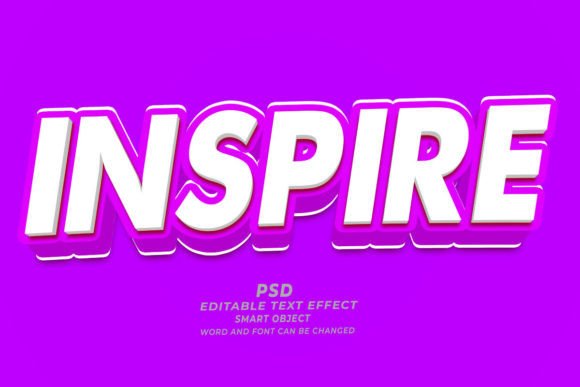
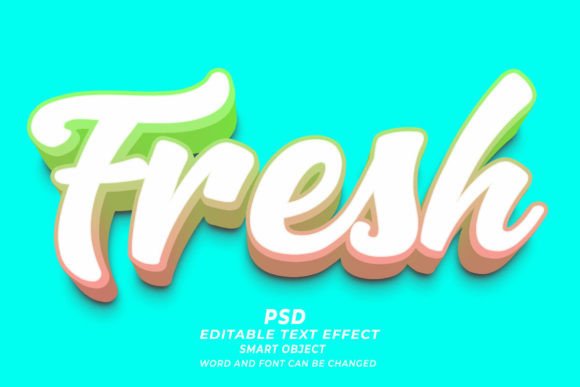
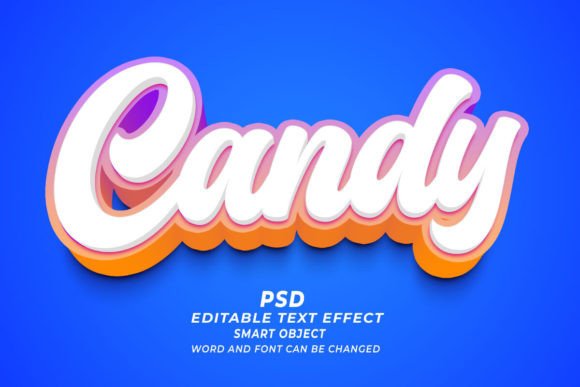
The term "Candy" in this context refers to a specific visual style characterized by glossy surfaces, vibrant colors, soft shadows, and a tactile, almost edible appearance. When applied to 3D text, this style evokes feelings of fun, sweetness, and approachability. The Candy PSD 3D Editable Text Effect captures these qualities through carefully layered lighting effects, bevels, and embosses within Adobe Photoshop.
Unlike flat design trends that dominated the previous decade, 3D typography adds depth and hierarchy to visual communications. The candy variant takes this a step further by incorporating material properties that mimic hard candy, gummy bears, or glazed donuts. This makes it particularly effective for industries such as confectionery, children’s products, gaming, and lifestyle brands aiming for a youthful or energetic vibe. The distinctiveness lies in the balance between realism and stylization; it looks three-dimensional but retains a polished, graphic quality that photographs sometimes struggle to achieve without extensive post-production.
Technical Functionality and Ease of Use
The primary value proposition of any editable text effect is its usability. The Candy PSD 3D Editable Text Effect is built on Adobe Photoshop’s Smart Object technology. This feature is critical for non-destructive editing. Users do not need to manipulate individual layers of shadows, highlights, or textures manually. Instead, the process is streamlined into a few intuitive steps:
- Open the File: The user opens the provided PSD file in Adobe Photoshop.
- Access Smart Objects: By double-clicking the designated Smart Object layer, a new window opens containing the base text or shape.
- Edit Content: The user types their desired text, adjusts the font, or replaces the shape entirely. Because it works with any kind of shape, designers are not limited to alphanumeric characters.
- Save and Update: Upon saving the Smart Object, the main document automatically updates, applying the complex 3D candy effects to the new input.
This "click and edit" functionality significantly reduces the time required for iteration. For projects requiring multiple variations—such as A/B testing web banners or creating a series of social media posts—this efficiency is invaluable. Furthermore, the inclusion of high-resolution 300dpi settings ensures that the output is suitable for both digital displays and print materials, including T-shirts, marketing brochures, and KDP book covers.
Comparing Templates vs. Custom Creation
When deciding whether to use a pre-made template like the Candy PSD 3D Editable Text Effect or to create 3D text from scratch, designers must weigh several factors: time, skill level, and creative control.
The Case for Custom Creation
Building 3D text from scratch using Photoshop’s 3D engine or external software like Blender or Cinema 4D offers unlimited creative freedom. Designers can control every aspect of lighting, camera angle, and material physics. However, this approach requires a steep learning curve and significant time investment. Rendering realistic candy textures involves complex subsurface scattering simulations and meticulous lighting setups, which may not be feasible for tight deadlines.
The Advantage of Editable Templates
In contrast, using a specialized PSD template democratizes access to high-quality 3D effects. The Candy PSD 3D Editable Text Effect allows individuals with intermediate Photoshop skills to achieve results that might otherwise require advanced 3D modeling knowledge. The trade-off is a degree of standardization; while fonts, colors, and sizes can be changed easily, the underlying structural logic of the effect remains fixed. For most commercial applications, such as website headers or print-on-demand products, this limitation is negligible compared to the time saved.
Versatility Across Media Formats
One of the strongest attributes of this resource is its adaptability. The high resolution and scalable nature of vector-based smart objects mean the effect performs well across diverse mediums. Consider the following practical applications:
- Digital Marketing: Web banners and social media ads benefit from the eye-catching nature of 3D candy text. The gloss and depth help elements stand out in crowded feeds, increasing click-through rates.
- Print on Demand (POD): For T-shirt designs, the vibrant colors and clear edges of the candy effect translate well to fabric printing. The 300dpi resolution ensures crisp lines without pixelation.
- Publishing: KDP (Kindle Direct Publishing) book covers, particularly for genres like romance, cozy mysteries, or children’s literature, often utilize playful typography. This effect provides a professional finish that aligns with genre expectations.
- Brand Identity: Startups in the food and beverage sector can use these effects for logo variations or packaging mockups, providing a quick way to visualize brand assets in a thematic context.
The ability to swap text and shapes means a single template can serve multiple clients or projects. A designer might use the same underlying effect for a bakery’s summer campaign and a toy store’s holiday sale, simply by adjusting the color palette and typography.
Limitations and Decision Factors
While the Candy PSD 3D Editable Text Effect is a powerful tool, it is not a universal solution. Understanding its limitations helps buyers make informed decisions.
Software Dependency: This resource requires Adobe Photoshop. Users relying on free alternatives like GIMP or online editors like Canva may find compatibility issues. While some platforms allow PSD uploads, the smart object functionality is native to Photoshop, meaning the ease of editing is lost in other environments.
Style Specificity: The "candy" aesthetic is niche. It is highly effective for playful, youthful, or food-related themes but may be inappropriate for corporate, legal, or minimalist luxury brands. Designers must evaluate whether the visual tone aligns with their brand identity before purchasing.
Customization Boundaries: Although fonts and colors are editable, changing the fundamental shape of the 3D extrusion or the lighting direction may require manual layer adjustments beyond the smart object scope. Users seeking total control over light sources should consider this a starting point rather than a final solution.
Making the Right Choice for Your Project
Choosing between a template like the Candy PSD 3D Editable Text Effect and other design methods depends on your specific project requirements. If you are working on a tight deadline, have a limited budget for 3D software subscriptions, or need to produce multiple variations of a playful design, this template is an excellent choice. It offers a professional polish that elevates simple text into a compelling visual asset.
However, if your project demands hyper-realistic physics, unique lighting scenarios, or a completely bespoke artistic direction, investing time in custom 3D modeling may be more appropriate. For most small business owners, freelance designers, and marketing teams, the balance of quality and speed provided by editable PSD effects represents a smart operational decision. By integrating these tools into your workflow, you can maintain high visual standards while optimizing productivity, ensuring that your creative output remains both impactful and efficient.