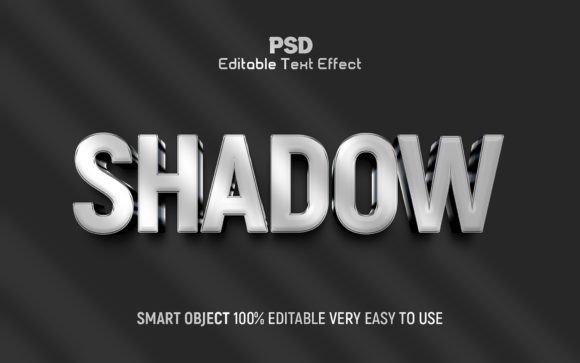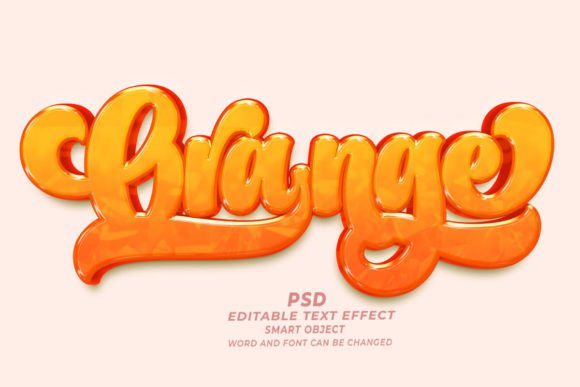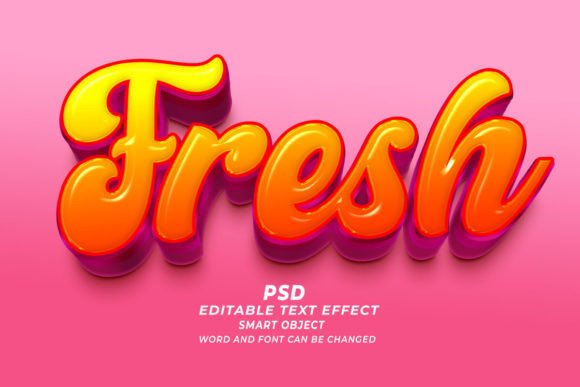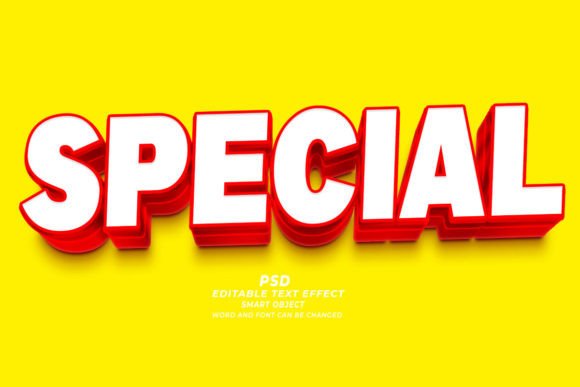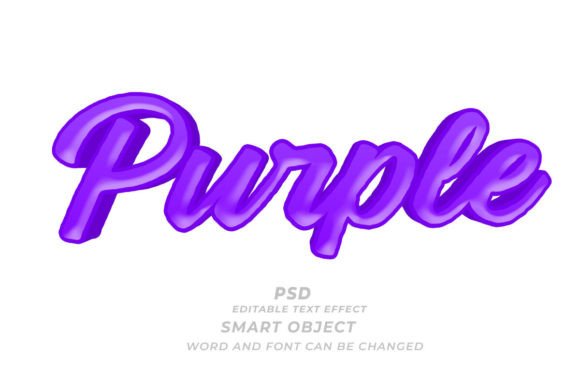
Purple PSD 3D Editable Text Effect Guide
In the fast-paced world of digital design, visual impact is often the deciding factor between a user scrolling past your content or stopping to engage. Color psychology plays a massive role in this dynamic, and few hues command attention quite like purple. Historically associated with royalty, creativity, and luxury, purple creates an immediate sense of depth and intrigue. When you combine this powerful color palette with dimensional depth, you get a design asset that does the heavy lifting for you. This is where the Purple PSD 3D Editable Text Effect becomes an invaluable resource for creators across various industries.
This tool is not just a static image; it is a fully functional, high-resolution Adobe Photoshop file designed for flexibility and ease of use. By leveraging smart object technology, users can transform generic placeholders into customized, professional-grade typography in seconds. Whether you are designing a book cover, a web banner, or a print-on-demand t-shirt, understanding how to utilize this specific text effect can significantly streamline your workflow while elevating the aesthetic quality of your final product.
Understanding the Technology Behind the Effect
At its core, this asset is a layered Photoshop document (PSD) built around the concept of non-destructive editing. The "magic" lies in the use of Smart Objects. For those unfamiliar with this feature, a Smart Object acts as a container for your text or shape. When you double-click the layer thumbnail, a new window opens where you can type your desired words, change fonts, or adjust sizes. Once you save and close that window, the main document automatically updates, applying all the complex lighting, shadows, gradients, and 3D extrusions to your new input.
This process eliminates the need for manual layer styling, which can be time-consuming and technically demanding. The file operates at a high resolution of 300 DPI, ensuring that the output is crisp and clear whether it is viewed on a retina display screen or printed on physical merchandise. The versatility extends beyond standard alphanumeric characters; because the effect works with shapes as well, designers can apply the same purple 3D treatment to logos, icons, or abstract geometric forms.
Tailored Benefits for Different Creators
The value of a pre-made text effect varies significantly depending on who is using it. A one-size-fits-all approach rarely applies in design, so let’s explore how different audiences can leverage this tool to meet their specific goals.
For Beginners and Hobbyists
If you are new to Adobe Photoshop, the learning curve can feel steep. Understanding how to manipulate light sources, create realistic drop shadows, and apply gradient maps to simulate 3D depth requires advanced knowledge. For beginners, the Purple PSD 3D Editable Text Effect serves as both a practical tool and an educational resource. It allows you to produce professional-looking results without needing years of experience. Furthermore, by examining the layer structure, novice users can learn how professional designers construct these effects, providing a hands-on lesson in digital composition.
For Freelancers and Marketing Professionals
Time is money for freelancers and agency marketers. When a client needs a quick turnaround on a social media campaign or a promotional banner, spending hours crafting a text effect from scratch is often not feasible. This editable text effect offers speed and reliability. You can maintain brand consistency by simply swapping out the text while keeping the high-quality purple aesthetic intact. The ability to easily change fonts and sizes means you can adapt the same asset for Instagram stories, Facebook headers, and LinkedIn posts without starting over each time.
For Authors and KDP Publishers
The self-publishing market, particularly on platforms like Amazon KDP, is highly competitive. Book covers need to stand out in thumbnail size while looking premium in full view. Purple is a popular choice for genres such as fantasy, romance, and mystery. Using a 3D text effect adds a tactile quality to the title, making it pop against background imagery. Since the file is high-resolution (300 DPI), it meets the strict printing requirements for paperback and hardcover editions, ensuring that the text remains sharp and legible even after printing.
For Print-on-Demand Entrepreneurs
Sellers on platforms like Etsy, Redbubble, or Merch by Amazon constantly need fresh designs. T-shirts, mugs, and posters benefit greatly from bold, dimensional typography. The purple 3D effect provides a modern, streetwear-friendly look that appeals to younger demographics. Because the text is fully editable, you can create niche-specific designs rapidly—switching from motivational quotes to humorous phrases while maintaining a cohesive shop aesthetic. The vector-like scalability of smart objects ensures that the design looks good on both small stickers and large wall art.
Practical Applications and Use Cases
To truly understand the utility of this asset, consider the following practical scenarios where it excels:
- Web Banners and Headers: Create eye-catching hero sections for websites where the headline needs to convey luxury or creativity immediately.
- Social Media Graphics: Design quote cards or announcement posts that stop the scroll with vibrant, dimensional text.
- Event Flyers: Promote concerts, club nights, or artistic workshops with a typographic style that suggests energy and sophistication.
- Product Packaging: Mockup labels for cosmetics, candles, or tech accessories where a premium feel is essential for perceived value.
- Presentation Decks: Elevate corporate or creative presentations by using 3D titles for section breaks, making the slide deck more engaging.
Evaluating Quality and Flexibility
When selecting a text effect, several factors determine its long-term usefulness. First, consider editability. A true smart object workflow allows for infinite changes without degrading image quality. Second, look at resolution. A 72 DPI file might work for web-only use, but a 300 DPI file future-proofs your design for print applications. Third, assess compatibility. Ensure the PSD is compatible with your version of Adobe Photoshop to avoid technical glitches.
The Purple PSD 3D Editable Text Effect scores highly in these areas. It balances aesthetic appeal with technical robustness. The purple hue is carefully calibrated to avoid looking muddy or overly saturated, maintaining clarity even when applied to complex backgrounds. Additionally, the inclusion of customizable fonts means you are not locked into a single typographic style. You can swap a serif font for a sans-serif one to change the mood from classic to modern instantly.
Making the Right Choice for Your Project
Before downloading or purchasing any design asset, ask yourself what your primary goal is. If you need a quick, high-impact visual for a time-sensitive project, this tool is ideal. If you are looking to learn the mechanics of 3D rendering in Photoshop, it serves as a great study model. However, if your brand guidelines strictly prohibit purple or require flat, minimalist design, this effect may not align with your needs.
Ultimately, the value of this text effect lies in its ability to bridge the gap between creative vision and technical execution. It empowers users to focus on the message rather than the mechanics of design. By simplifying the creation of complex 3D typography, it allows bloggers, business owners, and artists to communicate more effectively with their audiences. Whether you are designing a single book cover or a hundred t-shirt variants, having a reliable, editable, and high-quality text effect in your toolkit can make a significant difference in your productivity and the professionalism of your output.
Remember, the best design tools are those that disappear into the workflow, allowing your creativity to take center stage. With the right approach, this purple 3D text effect can become a staple in your design library, ready to add depth and character to any project that calls for a touch of royal flair.