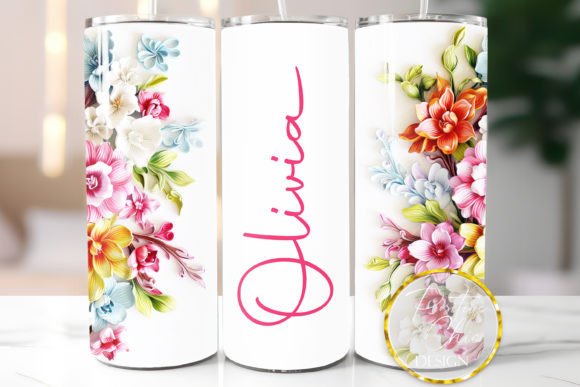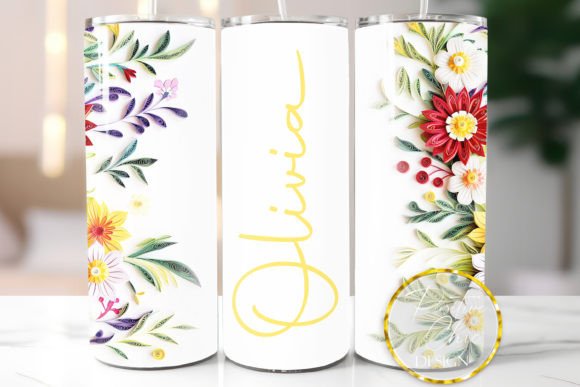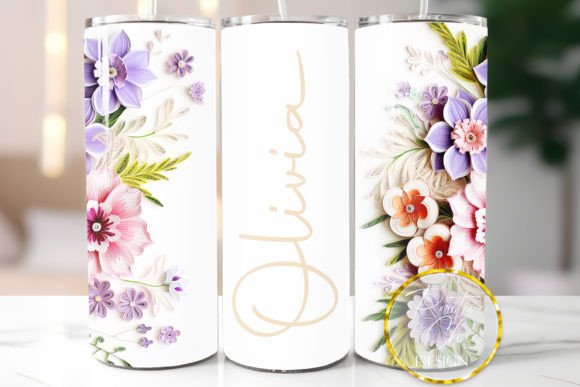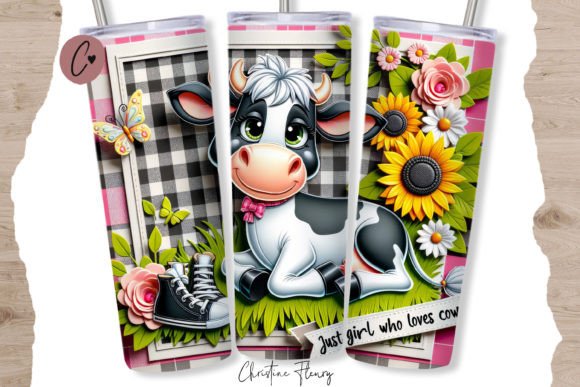
Personalized Tumbler PNG Red 3D Flowers: A Guide to Sublimation Design
In the rapidly evolving world of custom merchandise, the demand for unique, high-quality drinkware has never been higher. Among the most popular items for creators and small business owners is the twenty-ounce skinny tumbler. These sleek, straight-sided vessels provide a perfect canvas for artistic expression. At the heart of this creative process lies the digital asset, specifically designs like the Personalized Tumbler PNG Red 3D Flowers. This article explores the intricacies of using such digital files, the technical requirements for successful sublimation, and how to maximize the potential of instant digital downloads for your crafting projects.
Understanding the Digital Asset
When you purchase an instant digital download, such as the Personalized Tumbler PNG Red 3D Flowers, you are acquiring a specific type of image file designed for a particular printing method. It is crucial to understand that this is not a physical product but a digital blueprint for creating one. The file provided is typically a PNG (Portable Network Graphics) format, rendered at 300 DPI (Dots Per Inch). This high resolution is non-negotiable for professional results, ensuring that the intricate details of the red 3D flowers remain crisp and vibrant when transferred onto the tumbler surface.
The dimensions of this specific design are crafted with precision. Sized slightly larger than the standard wrap area—approximately 9.3 x 8.2 inches—the file allows for flexibility. Since manufacturing tolerances vary between different brands of skinny tumblers, having a design that is marginally larger enables you to resize it perfectly to fit your specific blank. This ensures that there are no unsightly white gaps or misaligned edges after the pressing process.
Key Characteristics of the File
- Format: High-resolution PNG with a transparent background.
- Resolution: 300 DPI for print-ready quality.
- Dimensions: Optimized for 20oz skinny straight tumblers.
- Exclusions: No SVG or vector files are included.
- Delivery: Instant digital download via email or account dashboard.
The Sublimation Process: More Than Just Printing
One of the most common misconceptions among new crafters is that any printer can produce sublimation designs. This is incorrect. Sublimation is a chemical process that requires specific equipment. To use the Personalized Tumbler PNG Red 3D Flowers effectively, you must have a sublimation printer equipped with sublimation inks. Standard inkjet or laser printers use dyes or toners that sit on top of the paper; they do not bond with polyester coatings under heat and pressure.
Furthermore, the substrate—the tumbler itself—must be coated for sublimation. Regular stainless steel or ceramic mugs will not accept the dye. You need blanks that are specifically labeled as "sublimation ready." When heat is applied, usually via a convection oven or a specialized tumbler press, the solid ink particles turn into gas and permeate the polymer coating of the tumbler. This results in a permanent, dishwasher-safe design that becomes part of the material rather than sitting on top of it.
Software Compatibility and Usage
It is vital to note what this file is not. The Personalized Tumbler PNG Red 3D Flowers is NOT a cut file. It is incompatible with cutting software such as Cricut Design Space or Silhouette Studio for the purpose of vinyl cutting. These programs are designed to read vector paths (like SVGs) to instruct a blade where to cut. Since this is a raster image (pixels), it cannot be used for die-cutting vinyl or heat transfer vinyl (HTV) applications.
Instead, this file is intended for printing. If you do not have professional design software like Adobe Photoshop or Illustrator, there are several free or accessible alternatives that work well for positioning and printing sublimation files:
- Microsoft Paint: A basic tool that allows you to open the PNG, check dimensions, and send it to your printer.
- Canva: A user-friendly online platform where you can upload the PNG, add text if desired, and prepare it for printing.
- Inkscape: A free, open-source vector graphics editor that can handle raster images for layout purposes.
When preparing your file, always ensure that you are printing at "Actual Size" or "100% Scale." Scaling the image within the print dialog box can sometimes alter the DPI, leading to pixelated or blurry results. If you need to resize the image to fit a specific brand of tumbler, do so in your image editing software before sending it to the printer, maintaining the 300 DPI resolution.
Design Aesthetics and Market Appeal
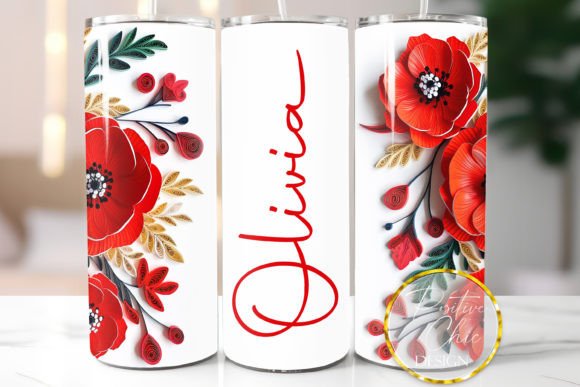
The visual appeal of the Red 3D Flowers design lies in its depth and vibrancy. The "3D" effect is achieved through shading, highlighting, and layering within the digital artwork. This creates an illusion of depth that makes the flowers appear to pop off the surface of the tumbler. Red is a powerful color in marketing and design, associated with energy, passion, and attention. When combined with floral motifs, it creates a striking contrast that appeals to a wide demographic, from those seeking romantic gifts to individuals who simply appreciate bold, botanical aesthetics.
For business owners, offering personalized options can significantly increase value. While the base file provides the stunning floral background, the transparent background of the PNG allows for the easy addition of names, monograms, or dates using other software layers. This customization transforms a generic product into a bespoke item, justifying a higher price point and fostering customer loyalty.
Practical Considerations and Limitations
While sublimation offers durable and vibrant results, it is not without its variables. One of the most significant factors affecting the final outcome is color consistency. Colors on your computer screen are displayed using RGB (Red, Green, Blue) light, while printers use CMYK (Cyan, Magenta, Yellow, Key/Black) ink. Additionally, sublimation inks have their own color profiles. Therefore, the red you see on your monitor may not match exactly what comes out of the printer.
To mitigate this, experienced crafters recommend performing test prints. Print a small section of the design on sublimation paper and press it onto a scrap piece of sublimation-coated material. This allows you to adjust brightness, contrast, and color balance in your software before committing to a full tumbler wrap. Factors such as humidity, press temperature, press time, and the age of your ink all play a role in the final color saturation.
Troubleshooting Common Issues
- Banding Lines: Often caused by incorrect printer head alignment or low-quality print settings. Ensure you are printing at the highest quality setting.
- Dull Colors: Could indicate insufficient heat or time during the pressing process, or that the tumbler blank is not properly coated.
- White Spots: Usually caused by dust or lint on the tumbler surface before pressing. Always wipe down blanks with a lint roller or alcohol wipe.
- Blurry Images: Result of resizing the image incorrectly or printing at a DPI lower than 300.
Who Benefits from This Digital Download?
The Personalized Tumbler PNG Red 3D Flowers is an ideal resource for a variety of users. Small business owners selling on platforms like Etsy or Shopify can use this design to expand their product lines without the overhead of holding physical inventory. Hobbyists looking to create gifts for friends and family will find the instant download format convenient and cost-effective. Even corporate buyers might utilize such designs for branded merchandise, adding a touch of elegance to employee gifts or client appreciation packages.
For those new to the craft, this file serves as an excellent starting point. Because it is pre-sized and high-resolution, it removes many of the technical barriers associated with creating designs from scratch. It allows creators to focus on the execution of the sublimation process rather than the complexities of graphic design.
Final Thoughts on Quality and Expectations
Investing in high-quality digital assets like the Personalized Tumbler PNG Red 3D Flowers is a step toward professional-grade results. However, the final product is only as good as the process used to create it. Understanding the limitations of digital colors, the necessity of proper equipment, and the importance of precise sizing is essential for success.
Remember, sublimation is both an art and a science. It requires patience, practice, and attention to detail. By following the guidelines provided with your digital download—using the right software, respecting the file format, and calibrating your equipment—you can produce stunning, durable, and personalized tumblers that stand out in a crowded market. Whether you are creating a single gift or hundreds of units for sale, the foundation of your success lies in the quality of your source file and the care you take in its application.
For more information on sublimation techniques or to explore additional design resources, consider joining online crafting communities where experts share tips on ink management, press settings, and trend forecasting. The journey of creation is continuous, and each project offers a new opportunity to refine your skills and delight your audience.